
Download Zoho Creator – Low‑Code App Builder, Rapid Development, Secure Integration
Overview of Zoho Creator
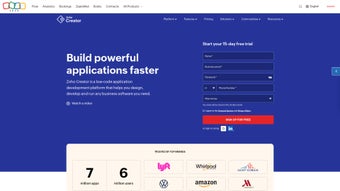
Zoho Creator is a cloud‑based low‑code development platform that enables businesses of any size to design, launch, and manage custom web and mobile applications without writing extensive code. The platform’s drag‑and‑drop visual builder, combined with a library of over 550 pre‑built integrations, makes it possible to connect to popular services such as Google Workspace, Microsoft 365, Salesforce, QuickBooks, and countless others in just a few clicks. Whether you need a simple employee onboarding form, a complex inventory‑tracking system, or a full‑featured customer‑service portal, Zoho Creator provides a unified workspace where data models, workflows, and analytics coexist securely.
Security is a cornerstone of the service: data is encrypted both at rest and in transit, daily backups are performed automatically, and the platform complies with ISO 27001, GDPR, SOC 2, and HIPAA (enterprise tier). Role‑based access controls, audit logs, and granular permission settings give IT teams the confidence to expose sensitive data only to authorized users. In addition, Zoho Creator automatically generates native iOS and Android applications, allowing field workers to capture data offline, receive push notifications, and stay synchronized with the cloud once they reconnect.
The result is a rapid development cycle that can turn a business idea into a production‑ready app within hours, dramatically reducing time‑to‑market and minimizing the need for costly custom‑code projects.
Key Features and How to Get Started
Feature Highlights
- Drag‑and‑Drop Builder: Visual designer with ready‑made form fields, charts, and widgets.
- Workflow Automation: Multi‑step processes using Deluge scripting or flowcharts.
- 550+ Pre‑Built Integrations: Seamless connections to CRMs, ERP systems, payment gateways, and more.
- Real‑Time Analytics: Embedded dashboards, custom reports, and KPI tracking.
- Native Mobile Apps: Automatic iOS and Android app generation for offline data capture.
- Role‑Based Security: Fine‑grained permissions, data encryption, and audit logs.
- Scalable Cloud Hosting: Elastic infrastructure that grows with user demand.
- Multi‑Language Support: Build apps in over 30 languages for global teams.
- Version Control & Backup: Automatic snapshots and one‑click rollback.
- Extensible Scripting (Deluge): Add custom logic when visual tools aren’t enough.
Installation, Setup, and Everyday Usage
Getting started with Zoho Creator is designed to be completed in under 30 minutes. Begin by signing up for a free trial on the Zoho website using a work email address. After verification, you are taken directly to the Creator dashboard where you can either start a blank app, import data from a spreadsheet, or choose from a library of industry‑specific templates such as “Inventory Management,” “Help Desk,” or “Project Tracker.” Selecting a template pre‑populates forms, workflows, and reports, giving you a solid foundation that can be quickly customized.
The visual builder becomes your primary workspace. Drag components from the left‑hand palette onto the canvas, configure field properties, and set validation rules through intuitive point‑and‑click menus. For more complex requirements, click the “Script” tab to write Deluge functions that can calculate values, trigger email notifications, or call external APIs. Once you are satisfied with the design, click “Publish.” Publishing instantly generates a secure URL for the web version and creates native mobile binaries for iOS and Android, which are available through the Zoho Creator mobile app store or can be distributed internally via MDM solutions.
Ongoing management is handled from the Creator console. Here you can monitor active users, view audit logs, and roll out updates. Every change is versioned automatically, and you can revert to a previous version with a single click if needed. Collaboration tools such as built‑in commenting, task assignment, and role‑based sharing keep developers, business analysts, and end‑users aligned throughout the app’s lifecycle. Regular platform updates—including security patches and new feature releases—are pushed automatically, ensuring your environment stays current without manual intervention.
Compatibility, Pros & Cons, and Frequently Asked Questions
Zoho Creator runs on any modern web browser (Chrome, Edge, Firefox, Safari) and is fully compatible with Windows 10/11, macOS Monterey and later, as well as Linux distributions that support recent browsers. The automatically generated mobile applications are native to iOS 12+ and Android 8.0+, ensuring broad device coverage for field teams and remote workers.
Pros
- Fast visual development cuts time‑to‑market dramatically.
- Extensive integration library reduces need for custom API work.
- Native mobile app generation eliminates separate mobile development cycles.
- Robust security and compliance (ISO 27001, GDPR, SOC 2, HIPAA on enterprise).
- Scalable cloud infrastructure with automatic backups.
- Deluge scripting offers flexibility for complex logic.
- Free trial and affordable pricing tiers for growing businesses.
Cons
- Learning curve for Deluge scripting if deep customization is required.
- Advanced UI customizations may need CSS/HTML knowledge.
- Performance can be affected in highly data‑intensive apps without proper indexing.
- Limited offline capabilities compared to dedicated native development frameworks.
- Enterprise‑level features (e.g., SSO, advanced analytics) are only available on higher‑priced plans.
Frequently Asked Questions
Can I migrate an existing on‑premise application to Zoho Creator?
Yes. Zoho Creator provides import tools for CSV, Excel, and database connections. You can map existing tables to Zoho’s data models and then rebuild forms and workflows using the visual builder. For complex migrations, the Deluge scripting engine can be used to transform legacy data during the import process.
Is there a limit on the number of users or records I can have?
Zoho Creator’s pricing tiers define limits on records, storage, and active users. The standard plan allows up to 1 million records and 100 users, while the enterprise plan scales to 10 million records and unlimited users. Additional capacity can be purchased as an add‑on.
How does Zoho Creator handle data security and compliance?
All data is encrypted at rest and in transit using TLS 1.2+. Zoho Creator complies with ISO 27001, GDPR, SOC 2, and HIPAA (on the enterprise plan). Role‑based access controls, audit logs, and data residency options let organizations meet industry‑specific regulatory requirements.
Can I integrate Zoho Creator with other Zoho applications?
Absolutely. Zoho Creator is part of the Zoho ecosystem and offers native connectors to Zoho CRM, Zoho Books, Zoho Desk, and many more. You can trigger actions across apps using workflows, share data in real time, and build unified dashboards that pull information from multiple Zoho services.
What kind of support is available for Zoho Creator users?
Zoho offers 24/7 email and chat support for paid plans, a knowledge base with tutorials, video guides, and a community forum. Enterprise customers receive a dedicated account manager and priority response times.
Zoho Creator stands out as a versatile low‑code platform that balances ease of use with powerful extensibility. Its drag‑and‑drop builder empowers non‑technical users, while Deluge scripting and extensive integration options keep developers satisfied. The automatic mobile app generation and built‑in analytics make it a compelling choice for organizations looking to digitize processes quickly and securely. Although there are a few limitations around deep UI customization and offline usage, the overall value proposition is strong, especially for midsize companies aiming to accelerate digital transformation without massive upfront development costs.
Conclusion – Why Download Zoho Creator Today?
If your organization is looking to accelerate app development, reduce reliance on scarce developer resources, and maintain a high level of security, Zoho Creator offers a compelling blend of visual simplicity and technical depth. The platform’s drag‑and‑drop interface enables citizen developers to prototype ideas in minutes, while the Deluge scripting language provides professional developers with the flexibility to implement complex business logic. With over 550 pre‑built integrations, automatic native mobile generation, and robust compliance certifications, you can trust that your applications will be both connected and secure. The cloud‑hosted architecture eliminates the need for on‑premise servers, cutting maintenance overhead and ensuring that you always have access to the latest features and security patches. While advanced UI tweaks and offline functionality may require additional planning, the overall return on investment is evident—especially for midsize firms seeking rapid digital transformation without prohibitive costs.
Start your free trial today, explore the extensive template library, and experience firsthand how low‑code development can streamline your operational workflows. Whether you are building a simple form or a sophisticated enterprise‑grade solution, Zoho Creator equips you with the tools to deliver value quickly and securely.
Download Zoho Creator now and begin building the custom applications that will drive your business forward.






